AI AGENT VIDEO EDITOR

You yap,AI cuts.

Drop in your raw clips, yap what you want, and YapCut edits them.

AI AssemblyAI OverlayAI EnhanceAI B-roll PlacementAI Stock Match
AI ASSEMBLY

10 raw clips in, 1 clean video out.

AI finds your best takes and pieces them into a polished video.

Multi clip assemblyPrompt driven editsClean final cut
AI OVERLAY

Tell AI where the pictures go.

Describe the placement once. YapCut overlays the right visuals in the right moments.

Image placementTimeline awareZero manual keyframes
AI ENHANCE

Just film yourself talking.

YapCut removes filler words, awkward pauses, silence, and bad retakes.
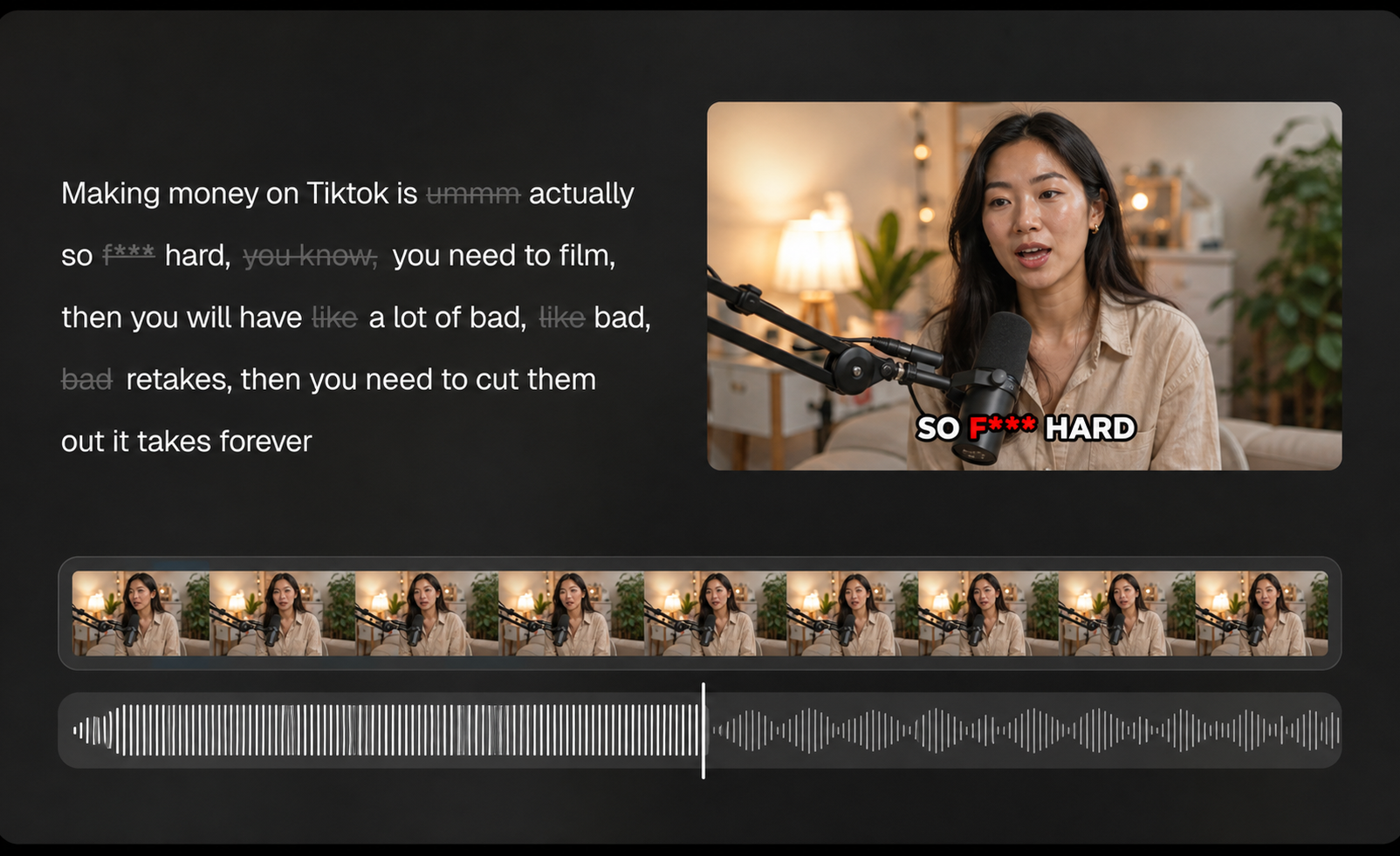
Filler removalSilence cleanupRetake detection
YapCut AI Enhance editing timeline preview
AI B-roll Placement

Find the right product clip and place it where it belongs.

YapCut identifies which raw clip is B-roll, understands the A-roll moment, and snaps the product shot into the right place.

B-roll detectionA-roll matchingTimeline placement
AI STOCK MATCH

Stock footage that actually matches.

YapCut searches relevant visuals and places them where they support the story.

Scene matchingAuto placementCreative search

Got questions?

Everything you need to know before you start yapping.

Upload your raw footage and describe the edit you want. YapCut reads your prompt, analyzes the clips, and assembles an editable video draft.
YapCut works best with talking head videos, especially product promotions, app demos, creator explainers, and founder style updates. Other video types can work too, but talking head footage is where the agent is strongest.
YapCut supports all languages, with especially strong results in English and Spanish.
YapCut generates captions by default. If you do not want captions in the final video, click the small eye icon next to the caption track to hide them.
You can start for free. Pricing details are available on the YapCut pricing page.
Email [email protected] with your question or suggestion. We will get back to you as soon as we can.

Start yapping now

Give YapCut your clips and one plain English instruction.

Questions, bugs, ideas? We read every message at [email protected].

Send feedback